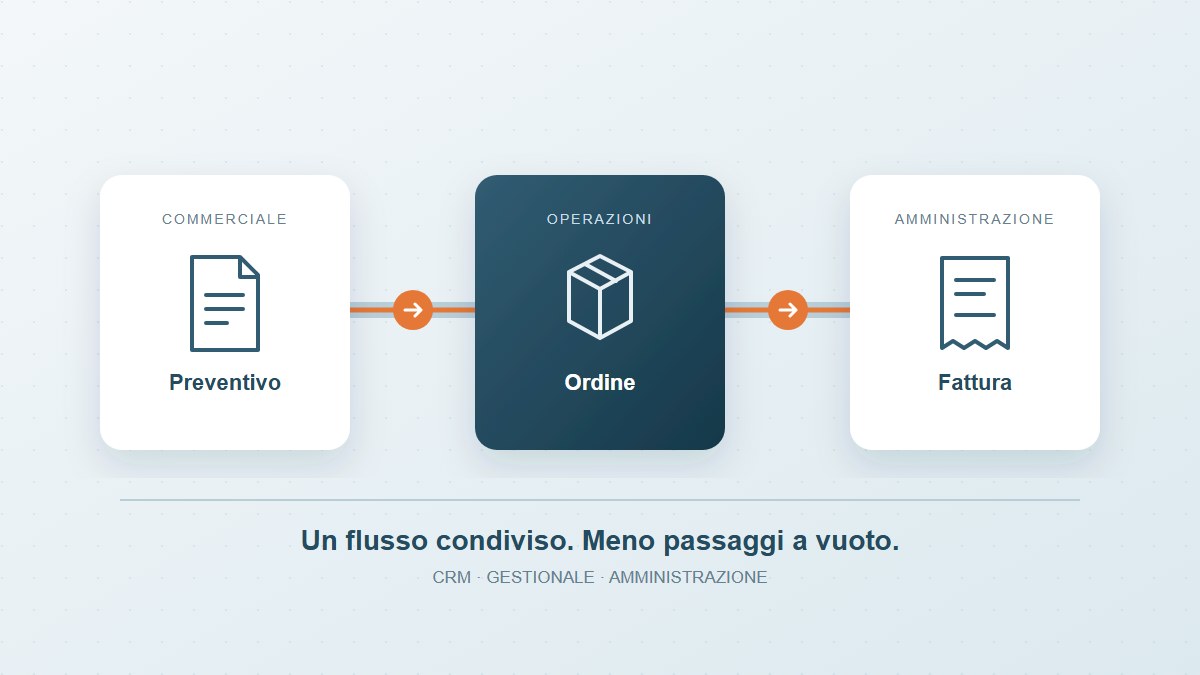
The customer has accepted the quotation. Sales knows, but the team scheduling the work is still waiting for confirmation. Someone re-enters the order in the business management system, a change stays in an email, and finance discovers a missing reference when preparing the invoice. Every department has its own tool; people keep the job moving by connecting the information themselves.
Connecting your CRM, ERP and finance systems makes these handovers more reliable. Before choosing another platform, establish which information needs to reach whom, when it is needed and which checks must apply.
The CRM holds opportunities and commercial agreements. An ERP or business management system may handle orders, availability and progress. Finance manages invoices, due dates and payment reconciliation. For a service business, delivery might mean an approved service; for a distributor, a shipment and its documentation. The activities differ, but the question remains: can the next department act without reconstructing the story?
Business system integration transfers agreed data and statuses while respecting the responsibilities of each application. It does not necessarily require replacing software that already works well.
If a billing address can be changed in both the CRM and ERP, two-way synchronisation may spread the wrong value very efficiently. Before connecting the systems, decide which application governs each field and who may correct it.
Customers and documents need stable identifiers, explicit mappings between codes and rules for changes. A VAT number alone, for example, does not resolve every case involving branches, contacts or international customers. Statuses also need definitions: “closed” in the CRM may mean a completed sale, rather than delivered work or a paid invoice.
Consider a hypothetical example: a company sells equipment and installation. Sales confirms the quotation in the CRM; operations creates the order in the ERP; the technician reports completion; finance prepares the invoice.
A first integration could create a draft order from the approved quotation version, preserving its commercial reference. A responsible person checks the details before releasing it. Completion of installation updates the case and makes the required documents available to finance. A dispute leaves the case under review and assigns the exception to an owner.
The intended improvement is measurable: less re-entry, fewer cases missing information and a job status that teams can consult. This example is not a customer case study or a promise of savings.
Documented APIs let applications exchange information; notifications such as webhooks can signal a change. Where these are unavailable, structured file transfers may be suitable if their format, frequency and checks are defined. Real-time updates are not always necessary: the interval must fit the operational need.
A custom software component can coordinate steps that existing tools do not cover. First, check the available interfaces, licences, vendor restrictions and maintenance costs. Automating screen clicks may be a fallback, but changes to the interface require particular attention.
The ERP may be temporarily unavailable, and the same message may arrive twice. The integration must prevent duplicate orders, expose failed transfers and support controlled recovery. Processing receipts, bounded retries and periodic checks of expected documents against those actually present can help.
Decide who owns each exception and which operations require approval. Access must match the work being performed; technical logs should not become indiscriminate copies of personal or commercial information. A flow that is unobtrusive when working should remain understandable when it stops.
There is no need to connect everything at once. Choose a frequent handover with reasonably consistent data and an identified owner. Start with five answers:
To help choose a starting point, we have explained which data reveals waiting time and bottlenecks. The next step is to define one exchange, test representative cases and provide a way back to manual handling if a problem appears.
Useful measures include the time from confirmation to order, corrections required, manual re-entry and the interval between delivery and a case being ready for invoicing. Definitions and comparison periods must stay consistent, including cases that remain open.
Payment time also depends on agreements, disputes and customer behaviour. Integration can provide timely information and reduce internal delays; it cannot guarantee payment. AI may help process unstructured messages or documents, but it does not replace the rules authorising orders, invoices and reconciliation.
At Tredipi, we start with the actual path of a job and the interfaces available. We define data, responsibilities and exceptions, then design the connection and the checks needed to maintain it over time.
To assess a possible improvement, we can begin with one handover that currently requires emails, phone calls or re-entry. Explore our system integration service or tell us where the flow breaks down in your business.